Features How It Works FAQ Get Early Access
AI-Powered Ergonomics

Fix Your Posture
in 30 Seconds.

Snap a photo of your desk. AI tells you exactly what to fix — monitor height, chair position, wrist angle — with measurements.

No account needed. No data stored. No ads.
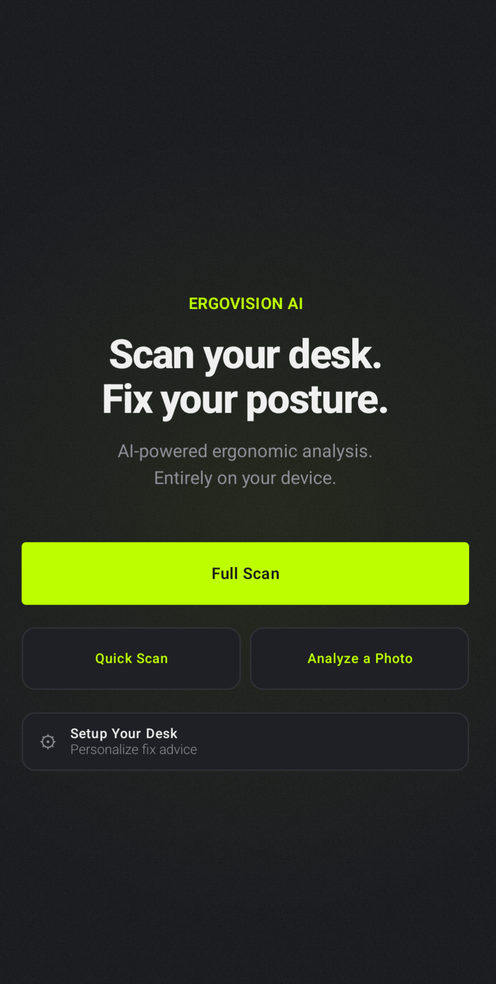
ErgoVision home screen
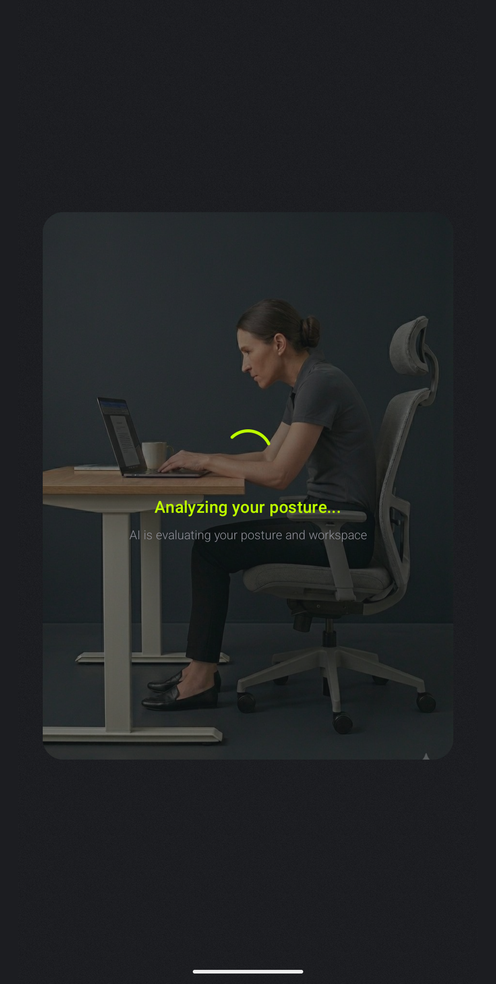
Analyzing posture
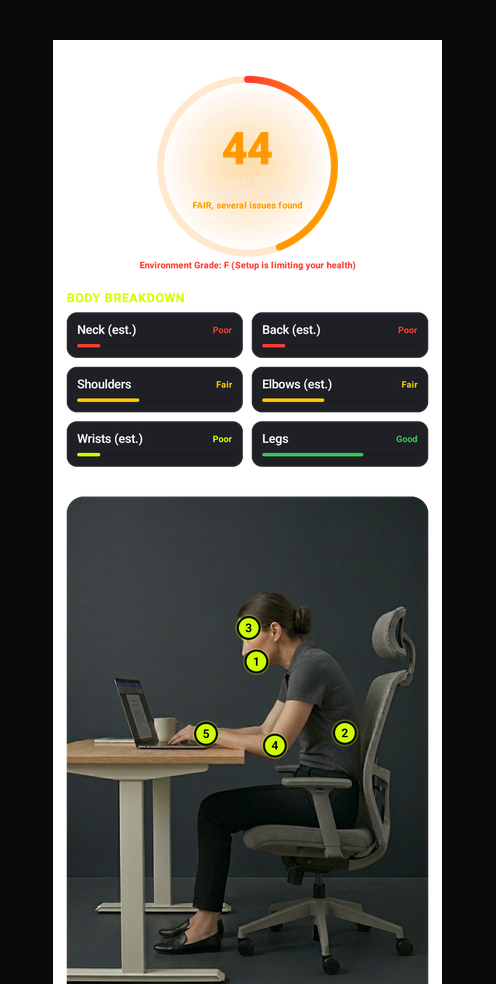
Posture score and body breakdown
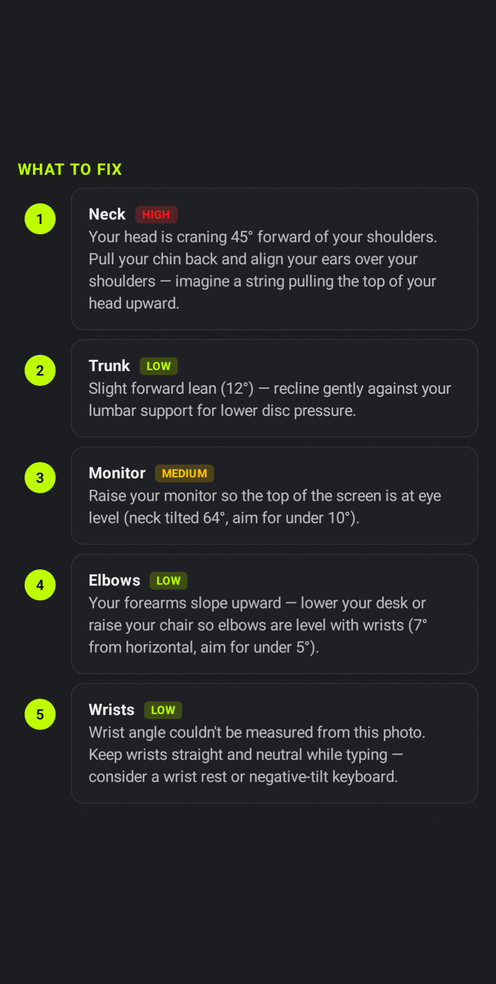
Fix suggestions
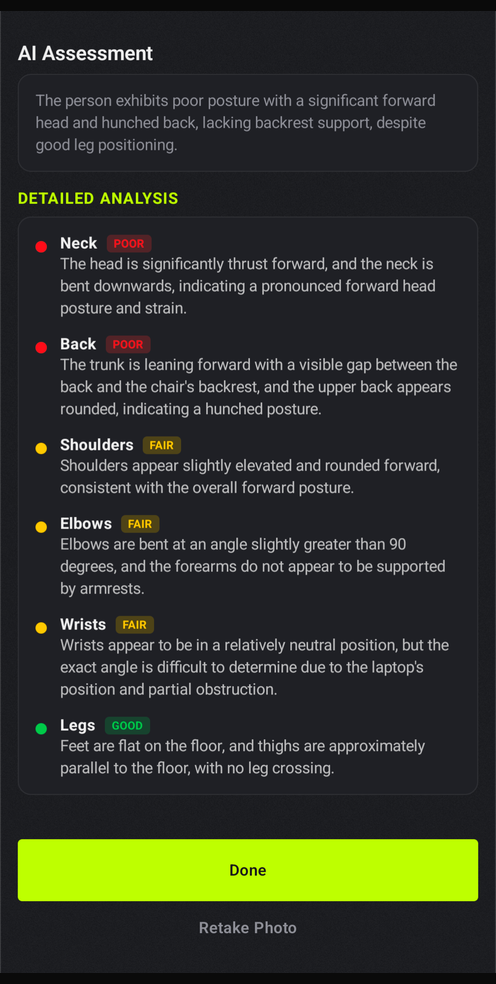
AI detailed assessment
HOME
SCAN
RESULTS
FIX
AI
8 in 10 desk workers report back or neck pain at some point
$300+ typical cost of a one-time ergonomic assessment
30s is all ErgoVision needs to scan, score, and fix your setup

You already know your posture is bad.
You just don't know what to fix.

Ergonomic assessments cost hundreds of dollars. YouTube videos give generic advice. Your back doesn't care about either — it just hurts. ErgoVision reads your actual body position and tells you exactly what to adjust, down to the inch.

Your phone is now an ergonomist.

Snap. Scan. Fix.

Point your camera at your desk. In 30 seconds you get a full posture breakdown with specific fixes — "raise your monitor 3 inches", not "sit up straight."

Privacy-First Design

No account, no signup, no tracking. Pose detection runs entirely on your phone. Optional AI enhancement uses a secure cloud model when enabled — photos are processed and immediately discarded, never stored.

Clinical-Grade Scoring

Built on the RULA method used by professional ergonomists worldwide. You get a 0-100 Ergo Score plus a letter grade for your equipment setup.

Actionable, Not Vague

Every issue comes with a numbered fix on your body. See the problem on the photo, read the fix below. No guessing, no Googling.

Three steps. Zero guesswork.

1

Take a Photo

Stand to the side of your desk and snap a photo. That's it.

2

AI Reads Your Body

On-device AI maps 33 body landmarks and scores every joint — neck, back, shoulders, elbows, wrists. Nothing leaves your phone.

3

Get Your Fix Plan

Numbered markers on your body match to fix cards below. See what's wrong. Know how to fix it.

One photo. One adjustment.
A completely different score.

Before
36 /100
Poor posture detected
  • Neck craning forward
  • Slouching — no backrest contact
  • Wrists bent while typing
After
85 /100
Great posture!
  • Neck aligned over shoulders
  • Back fully supported
  • Wrists neutral

Built with privacy
at every layer.

On-device pose detection

Body landmark detection runs entirely on your phone using MediaPipe. No cloud needed for the core scan.

No account required

Open the app, scan your desk. No signup, no email, no personal info collected. Ever.

Optional AI enhancement

For extra workspace insights, you can opt into a secure cloud AI model. Photos are analyzed and immediately discarded — never stored. This feature is toggleable in settings.

No ads. No tracking.

No analytics SDK, no ad networks, no third-party code watching what you do. We make money from the product, not your data.

What ErgoVision doesn't do.

Every item below is a deliberate design choice. If any of these were on, the app would be worse for you.

×
No account, no signup

Open the app, scan your desk. That's the entire onboarding.

×
No photo storage

Photos live on your device. Nothing is kept on a server after the scan.

×
No ads, no tracking SDKs

No AdMob, no analytics, no third-party telemetry watching what you do.

×
No subscription wall

The full scan, score, and fix plan are free. Forever.

×
No data selling

We make money from the product, not from you. Period.

×
No internet required

The full posture analysis works completely offline. AI enhancement is optional.

Launching on Google Play

Be first to try it.

ErgoVision is rolling out on Google Play. Drop your email and we'll send you the install link the moment review clears.

No spam, ever. Unsubscribe anytime.

Got questions?

Yes. The core posture analysis is free and always will be. We may add optional premium features later, but the scan-and-fix flow will never have a paywall.

The core posture scan runs entirely on your phone — pose detection, RULA scoring, and fix suggestions never leave your device. An optional AI Enhancement feature sends the photo to a secure cloud model for deeper workspace analysis; it's on by default but can be turned off in settings. When enabled, photos are processed and immediately discarded — never stored. No account, no tracking, no ads.

Yes. The full posture analysis — pose detection, 0-100 Ergo Score, body-part breakdown, and fix suggestions — works completely offline. Only the optional AI Enhancement needs internet.

ErgoVision uses the RULA (Rapid Upper Limb Assessment) method — the same clinical framework used by certified ergonomists worldwide. The analysis covers neck, back, shoulders, elbows, and wrists, plus your equipment setup. It's not a replacement for medical advice, but it catches the same issues a professional would flag.

Android 12+ (API 31). Android first — iOS may follow based on demand. The app requires a camera — that's it. No special sensors, no AR glasses, no wearables.

YouTube gives generic advice for generic bodies. ErgoVision analyzes YOUR body at YOUR desk and gives you personalized, numbered fixes with measurements. It's the difference between "sit up straight" and "your monitor is 3 inches too low — here's exactly how to fix it."

No. ErgoVision provides wellness guidance based on established ergonomic standards. It is not a medical device and does not diagnose or treat conditions. If you have chronic pain, see a doctor. But if you want to stop causing the pain in the first place, start here.